Team Annual Leave Planner
Made for managers and small businesses planning time off for a team.
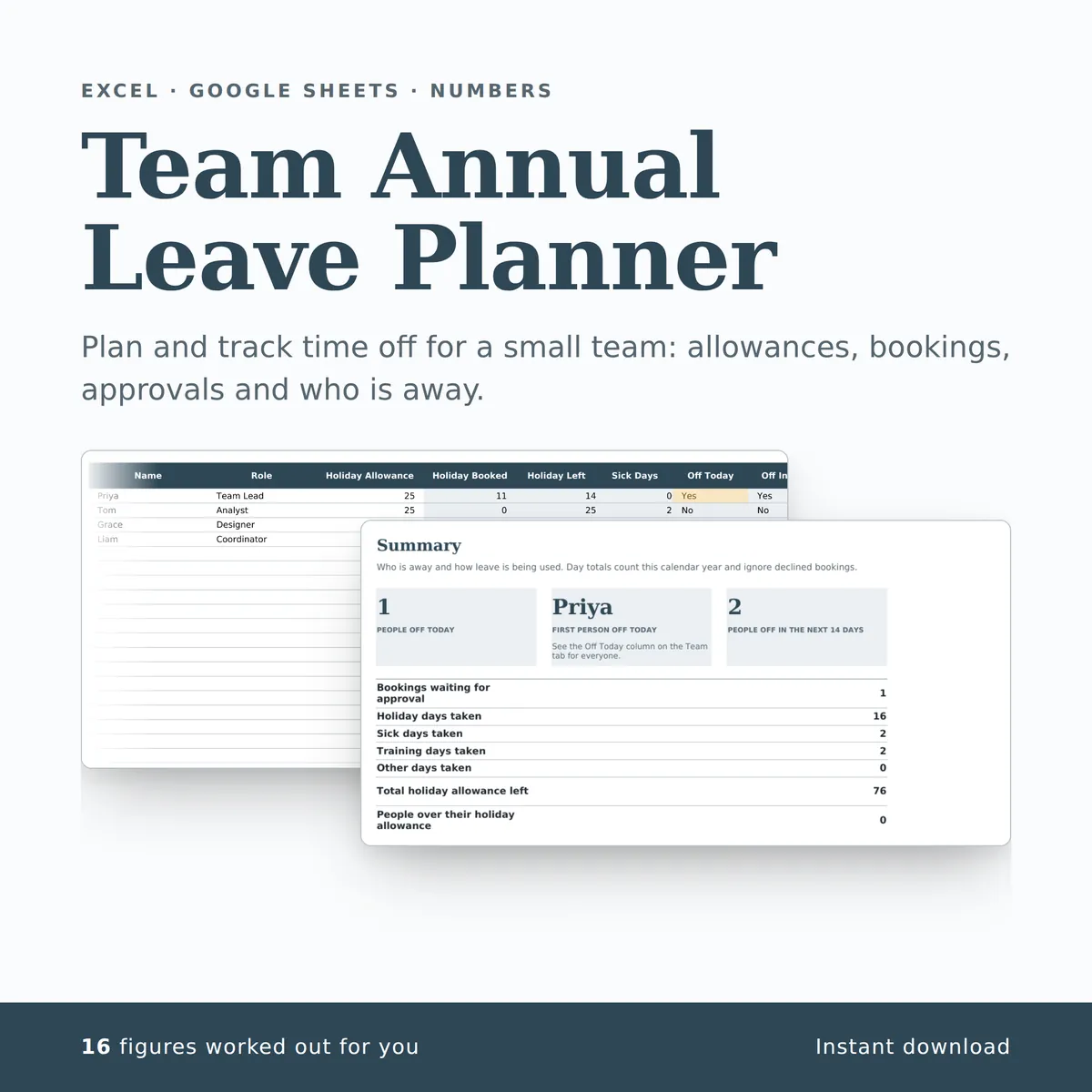
Plan and track time off for a small team: allowances, bookings, approvals and who is away. The summary carries a chart that redraws itself as you type.
Of the 16 columns, you fill in 10 and the other 6 work themselves out, and all 10 figures on the summary do too. There is room for 430 rows of your own.
Freeno card, no email, no sign up
- Opens in Excel, Google Sheets and Numbers
- Free, with nothing to sign up for
- No macros, nothing to install
- Describe your own when you are ready
Yours to keep, change and share. Built exactly as every spreadsheet here is, so it is a fair picture of what you would get from describing your own.
Already have a spreadsheet of your own? Check it for mistakes, free.
- A new row is typed into the Leave tab, one cell at a time, in the white cells a person fills in.
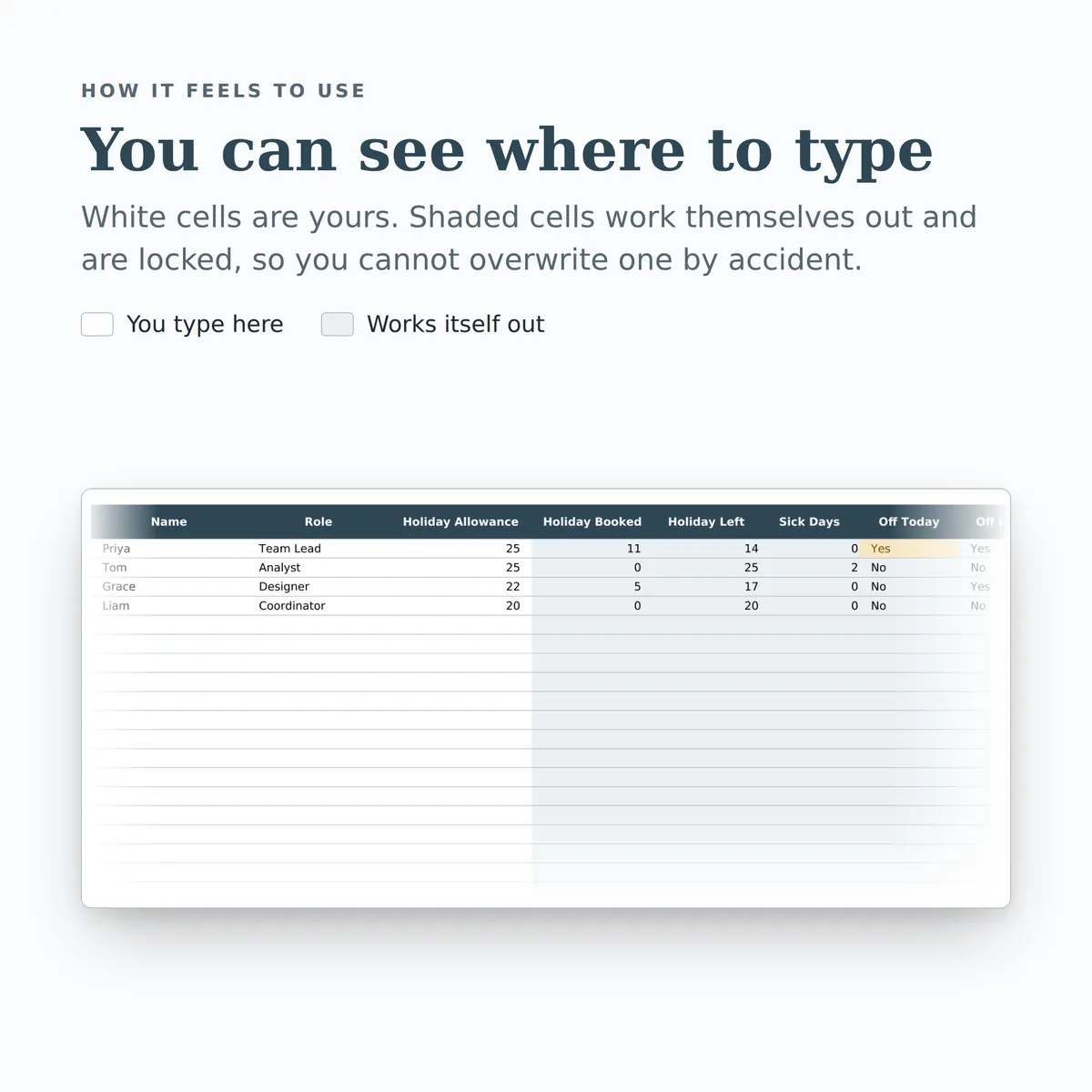
- The shaded cells in that row fill themselves in.
- The figures on the Summary tab change to include the new row.
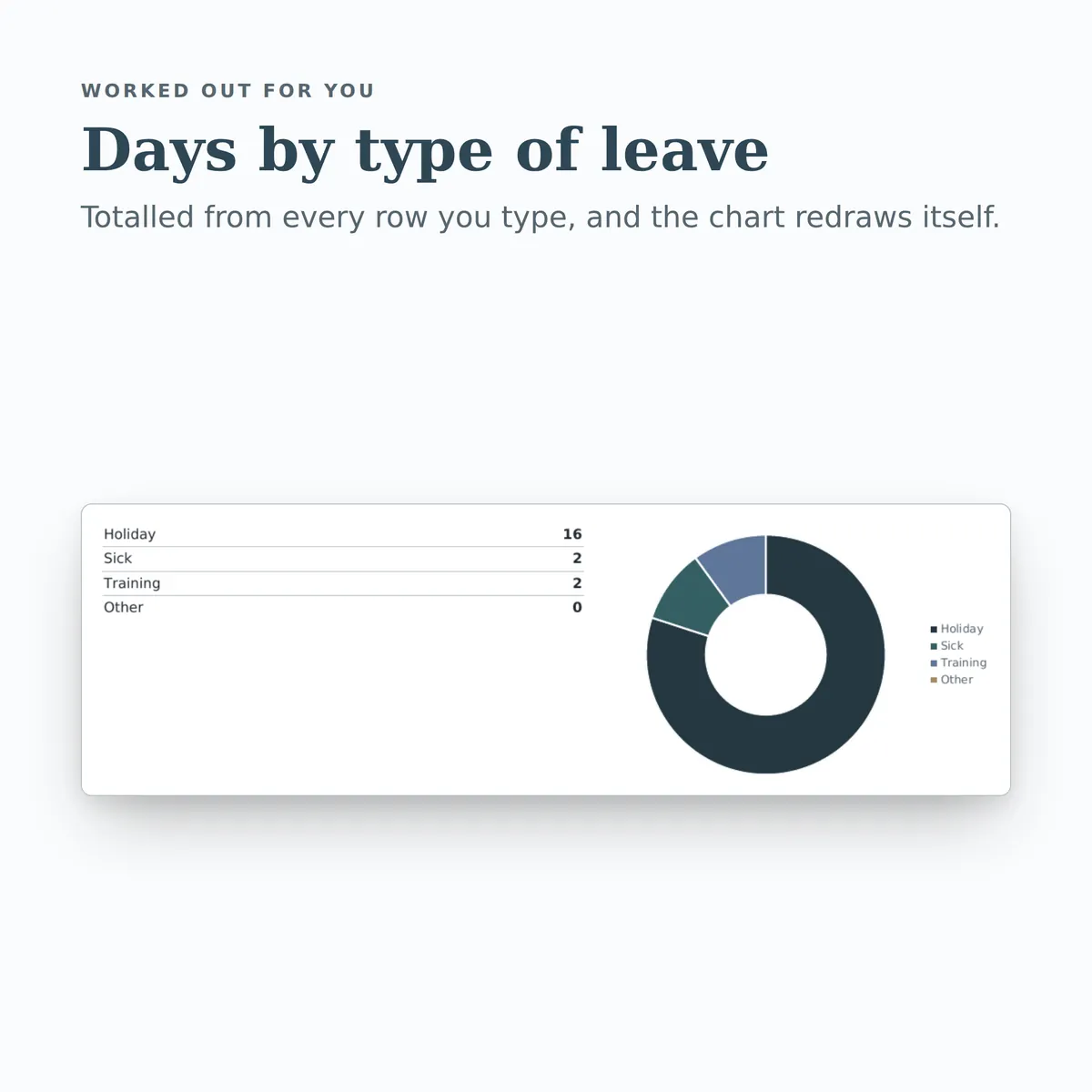
- The chart, Days by type of leave, redraws with it.
Everything inside
This is the whole design: every tab, every column and how each calculated one is worked out. White cells are yours to fill in; the shaded ones work themselves out and are locked so a formula cannot be overwritten by accident. There is room for 430 rows. Open any tab to see its columns.
Team
8 columns
| Column | What goes in it | Worked out as |
|---|---|---|
| Name | Type any text. | |
| Role | Type any text. | |
| Holiday Allowance | Yearly holiday allowance in working days.Type a number. | |
| Holiday Booked | Fills itself in. | Worked out from this row's Name, using Working Days, Person, Type, Approval and First Day Off on Leave. The formulaIF(ISBLANK([name]),"",SUMIFS([Leave!working_days],[Leave!person],[name],[Leave!leave_type],"Holiday",[Leave!status],"<>Declined",[Leave!first_day],">="&DATE(YEAR(TODAY()),1,1),[Leave!first_day],"<="&DATE(YEAR(TODAY()),12,31))) |
| Holiday Left | Fills itself in. | Worked out from this row's Name and Holiday Allowance, using Working Days, Person, Type, Approval and First Day Off on Leave. The formulaIF(OR(ISBLANK([name]),ISBLANK([allowance])),"",[allowance]-SUMIFS([Leave!working_days],[Leave!person],[name],[Leave!leave_type],"Holiday",[Leave!status],"<>Declined",[Leave!first_day],">="&DATE(YEAR(TODAY()),1,1),[Leave!first_day],"<="&DATE(YEAR(TODAY()),12,31))) |
| Sick Days | Fills itself in. | Worked out from this row's Name, using Working Days, Person, Type, Approval and First Day Off on Leave. The formulaIF(ISBLANK([name]),"",SUMIFS([Leave!working_days],[Leave!person],[name],[Leave!leave_type],"Sick",[Leave!status],"<>Declined",[Leave!first_day],">="&DATE(YEAR(TODAY()),1,1),[Leave!first_day],"<="&DATE(YEAR(TODAY()),12,31))) |
| Off Today | Fills itself in. | Worked out from this row's Name, using Person, Approval, First Day Off and Last Day Off on Leave. The formulaIF(ISBLANK([name]),"",IF(COUNTIFS([Leave!person],[name],[Leave!status],"<>Declined",[Leave!first_day],"<="&TODAY(),[Leave!last_day],">="&TODAY())>0,"Yes","No")) |
| Off In Next 14 Days | Fills itself in. | Worked out from this row's Name, using Person, Approval, First Day Off and Last Day Off on Leave. The formulaIF(ISBLANK([name]),"",IF(COUNTIFS([Leave!person],[name],[Leave!status],"<>Declined",[Leave!first_day],"<="&(TODAY()+14),[Leave!last_day],">="&TODAY())>0,"Yes","No")) |
Leave
8 columns
| Column | What goes in it | Worked out as |
|---|---|---|
| Person | Pick one of the Name entries on Team. | |
| Type | Pick one: Holiday, Sick, Training or Other. | |
| First Day Off | Type a date. | |
| Last Day Off | Type a date. | |
| Working Days | Working days this booking uses. Use 0.5 for a half day.Type a number. | |
| Approval | Pick one: Pending, Approved or Declined. | |
| When | Fills itself in. | Worked out from this row's First Day Off and Last Day Off. The formulaIF(OR(ISBLANK([first_day]),ISBLANK([last_day])),"",IF([last_day]<[first_day],"Check dates",IF([first_day]>TODAY(),"Upcoming",IF([last_day]<TODAY(),"Taken","Off now")))) |
| Notes | Type any text. |
Summary
10 figures
| Figure | Worked out as |
|---|---|
| People off today | The number of rows on Team where Off Today is “Yes”. The formulaCOUNTIF([Team!off_today],"Yes") |
| First person off today | See the Off Today column on the Team tab for everyone. Worked out from Name and Off Today on Team. The formulaIFERROR(INDEX([Team!name],MATCH("Yes",[Team!off_today],0)),"Nobody") |
| People off in the next 14 days | The number of rows on Team where Off In Next 14 Days is “Yes”. The formulaCOUNTIF([Team!off_next_14],"Yes") |
| Bookings waiting for approval | The number of rows on Leave where Approval is “Pending”. The formulaCOUNTIF([Leave!status],"Pending") |
| Holiday days taken | Worked out from Working Days, Type, Approval and First Day Off on Leave. The formulaSUMIFS([Leave!working_days],[Leave!leave_type],"Holiday",[Leave!status],"<>Declined",[Leave!first_day],">="&DATE(YEAR(TODAY()),1,1),[Leave!first_day],"<="&DATE(YEAR(TODAY()),12,31)) |
| Sick days taken | Worked out from Working Days, Type, Approval and First Day Off on Leave. The formulaSUMIFS([Leave!working_days],[Leave!leave_type],"Sick",[Leave!status],"<>Declined",[Leave!first_day],">="&DATE(YEAR(TODAY()),1,1),[Leave!first_day],"<="&DATE(YEAR(TODAY()),12,31)) |
| Training days taken | Worked out from Working Days, Type, Approval and First Day Off on Leave. The formulaSUMIFS([Leave!working_days],[Leave!leave_type],"Training",[Leave!status],"<>Declined",[Leave!first_day],">="&DATE(YEAR(TODAY()),1,1),[Leave!first_day],"<="&DATE(YEAR(TODAY()),12,31)) |
| Other days taken | Worked out from Working Days, Type, Approval and First Day Off on Leave. The formulaSUMIFS([Leave!working_days],[Leave!leave_type],"Other",[Leave!status],"<>Declined",[Leave!first_day],">="&DATE(YEAR(TODAY()),1,1),[Leave!first_day],"<="&DATE(YEAR(TODAY()),12,31)) |
| Total holiday allowance left | The total of Holiday Left on Team. The formulaSUM([Team!holiday_left]) |
| People over their holiday allowance | The number of rows on Team where Holiday Left is below 0. The formulaCOUNTIF([Team!holiday_left],"<0") |