Shared House Bills Splitter
Made for housemates, couples and students who share the bills.
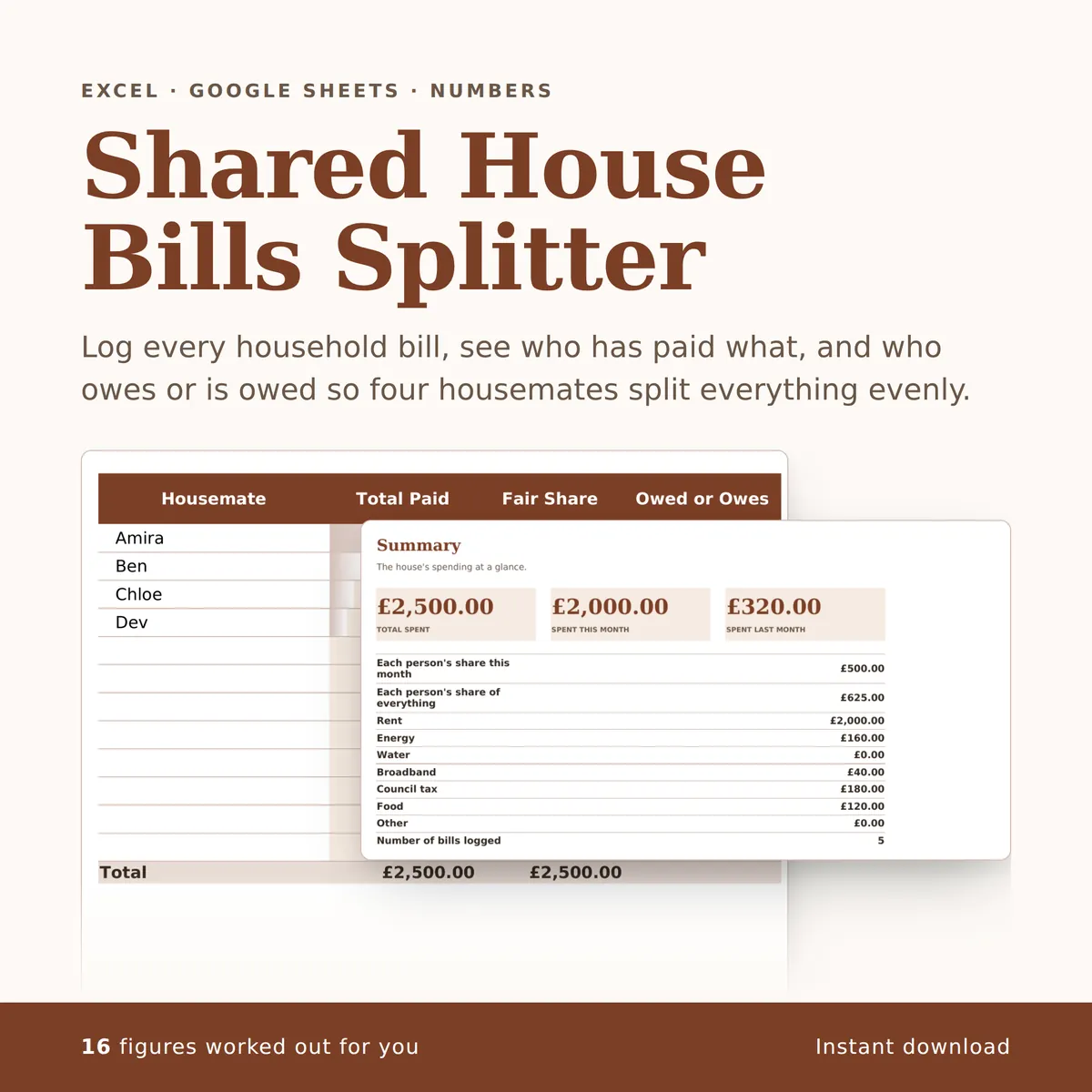
Log every household bill, see who has paid what, and who owes or is owed so four housemates split everything evenly. The summary carries a chart that redraws itself as you type.
Of the 9 columns, you fill in 6 and the other 3 work themselves out, and all 13 figures on the summary do too. There is room for 412 rows of your own.
Freeno card, no email, no sign up
- Opens in Excel, Google Sheets and Numbers
- Free, with nothing to sign up for
- No macros, nothing to install
- Describe your own when you are ready
Yours to keep, change and share. Built exactly as every spreadsheet here is, so it is a fair picture of what you would get from describing your own.
Already have a spreadsheet of your own? Check it for mistakes, free.
- A new row is typed into the Bills tab, one cell at a time, in the white cells a person fills in.
- The figures on the Summary tab change to include the new row.
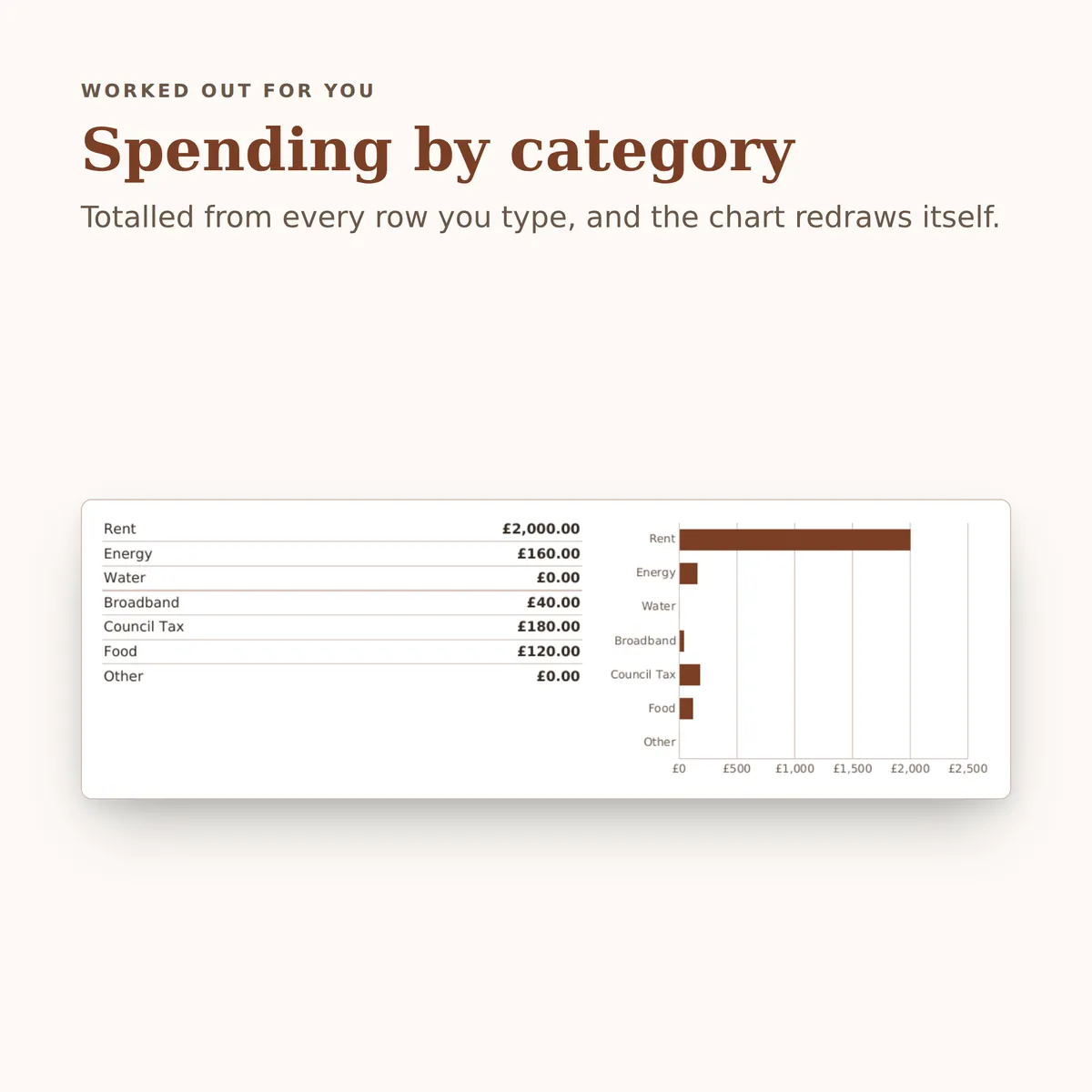
- The chart, Spending by category, redraws with it.
Everything inside
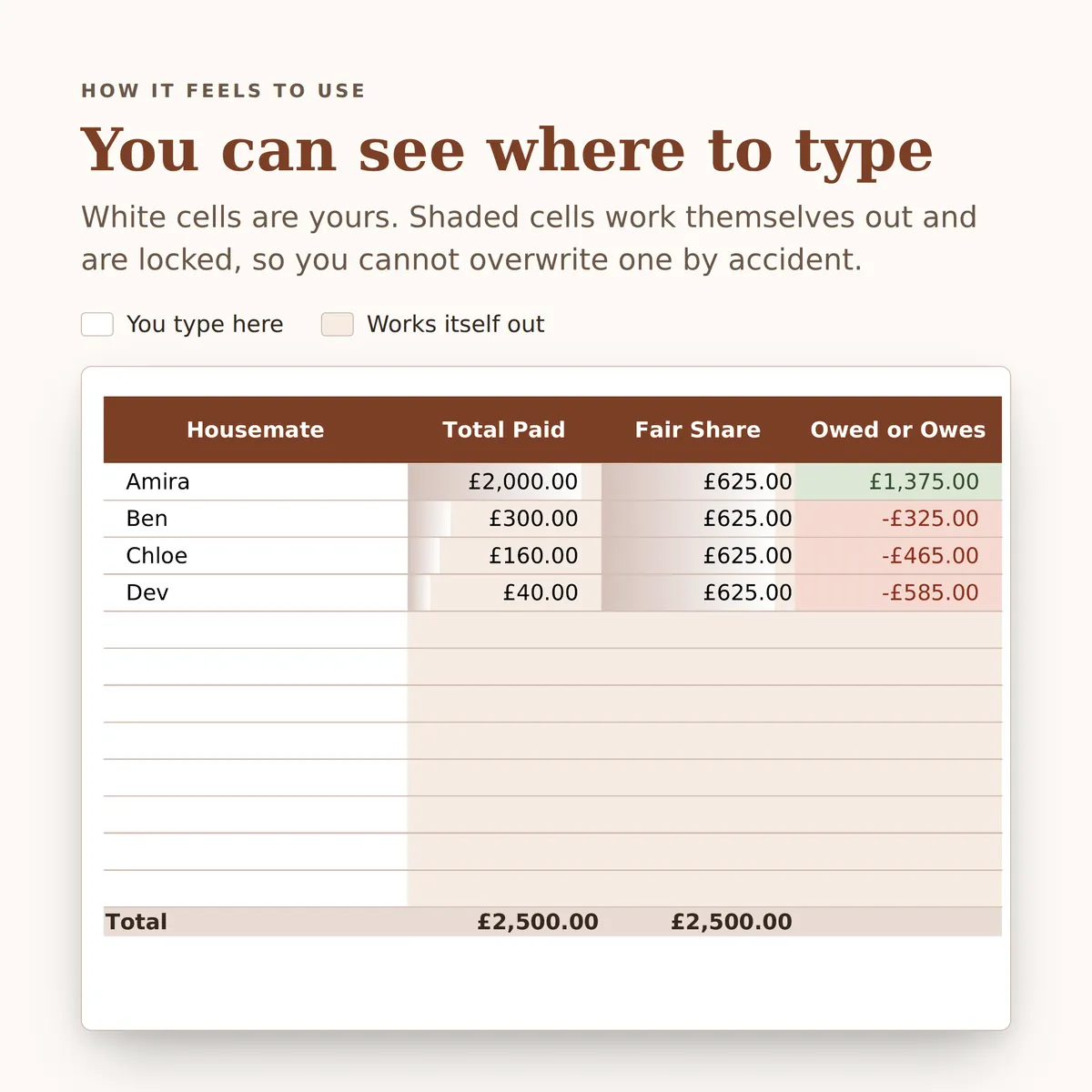
This is the whole design: every tab, every column and how each calculated one is worked out. White cells are yours to fill in; the shaded ones work themselves out and are locked so a formula cannot be overwritten by accident. There is room for 412 rows. Open any tab to see its columns.
Housemates
4 columns
| Column | What goes in it | Worked out as |
|---|---|---|
| Housemate | Type any text. | |
| Total Paid | Fills itself in. | The total of Amount on Bills where Paid By matches this row's Housemate. The formulaIF(ISBLANK([name]), "", SUMIF([Bills!paid_by], [name], [Bills!amount])) |
| Fair Share | All bills divided evenly between everyone listed on this tab.Fills itself in. | Worked out from this row's Housemate, using Amount on Bills and Housemate on Housemates. The formulaIF(ISBLANK([name]), "", ROUND(IFERROR(SUM([Bills!amount])/COUNTA([Housemates!name]), 0), 2)) |
| Owed or Owes | Positive means the house owes this person. Negative means they owe the house.Fills itself in. | Worked out from this row's Housemate, using Paid By and Amount on Bills and Housemate on Housemates. The formulaIF(ISBLANK([name]), "", ROUND(SUMIF([Bills!paid_by], [name], [Bills!amount]) - IFERROR(SUM([Bills!amount])/COUNTA([Housemates!name]), 0), 2)) |
Bills
5 columns
| Column | What goes in it |
|---|---|
| What It Was For | Type any text. |
| Category | Pick one: Rent, Energy, Water, Broadband, Council Tax, Food or Other. |
| Amount | Type an amount in £. |
| Date Paid | Type a date. |
| Paid By | Pick one of the Housemate entries on Housemates. |
Summary
13 figures
| Figure | Worked out as |
|---|---|
| Total spent | The total of Amount on Bills. The formulaSUM([Bills!amount]) |
| Spent this month | Worked out from Amount and Date Paid on Bills. The formulaSUMIFS([Bills!amount], [Bills!date_paid], ">="&DATE(YEAR(TODAY()), MONTH(TODAY()), 1), [Bills!date_paid], "<="&EOMONTH(TODAY(), 0)) |
| Spent last month | Worked out from Amount and Date Paid on Bills. The formulaSUMIFS([Bills!amount], [Bills!date_paid], ">="&(EOMONTH(TODAY(), -2)+1), [Bills!date_paid], "<="&EOMONTH(TODAY(), -1)) |
| Each person's share this month | Worked out from Amount and Date Paid on Bills and Housemate on Housemates. The formulaROUND(IFERROR(SUMIFS([Bills!amount], [Bills!date_paid], ">="&DATE(YEAR(TODAY()), MONTH(TODAY()), 1), [Bills!date_paid], "<="&EOMONTH(TODAY(), 0))/COUNTA([Housemates!name]), 0), 2) |
| Each person's share of everything | Worked out from Amount on Bills and Housemate on Housemates. The formulaROUND(IFERROR(SUM([Bills!amount])/COUNTA([Housemates!name]), 0), 2) |
| Rent | The total of Amount on Bills where Category is “Rent”. The formulaSUMIF([Bills!category], "Rent", [Bills!amount]) |
| Energy | The total of Amount on Bills where Category is “Energy”. The formulaSUMIF([Bills!category], "Energy", [Bills!amount]) |
| Water | The total of Amount on Bills where Category is “Water”. The formulaSUMIF([Bills!category], "Water", [Bills!amount]) |
| Broadband | The total of Amount on Bills where Category is “Broadband”. The formulaSUMIF([Bills!category], "Broadband", [Bills!amount]) |
| Council tax | The total of Amount on Bills where Category is “Council Tax”. The formulaSUMIF([Bills!category], "Council Tax", [Bills!amount]) |
| Food | The total of Amount on Bills where Category is “Food”. The formulaSUMIF([Bills!category], "Food", [Bills!amount]) |
| Other | The total of Amount on Bills where Category is “Other”. The formulaSUMIF([Bills!category], "Other", [Bills!amount]) |
| Number of bills logged | The number of rows on Bills with What It Was For filled in. The formulaCOUNTA([Bills!description]) |