
Small Business Bookkeeping
Made for sole traders keeping their own books for a tax return.
A simple set of books for a one-person business: record every payment received and every business cost, tag each one with a category, and see totals by category, totals by month and profit so far this year ready for the tax return. The summary carries a chart that redraws itself as you type.
Of the 29 columns, you fill in 17 and the other 12 work themselves out, and all 14 figures on the summary do too. There is room for 1,242 rows of your own.
£4.99one payment, yours to keep
- Opens in Excel, Google Sheets and Numbers
- Delivered straight away
- No macros, nothing to install
- Change it free before you buy
Payment is handled by Stripe. Your card details go to them and never to us. Sales are final, which is why every tab, column and calculation is shown on this page first.
Already have a spreadsheet of your own? Check it for mistakes, free.
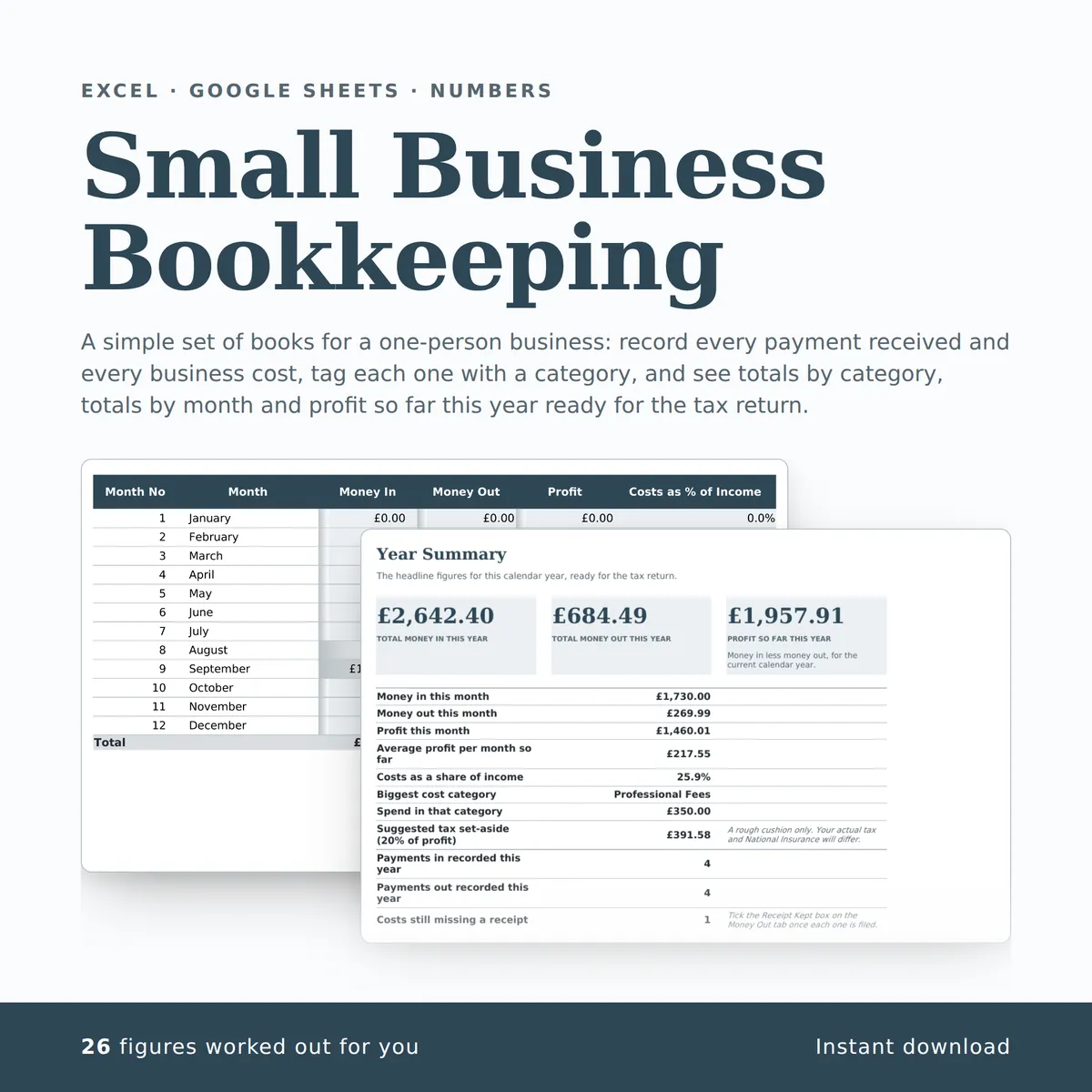
- A new row is typed into the Money Out tab, one cell at a time, in the white cells a person fills in.
- The shaded cells in that row fill themselves in.
- The figures on the Year Summary tab change to include the new row.
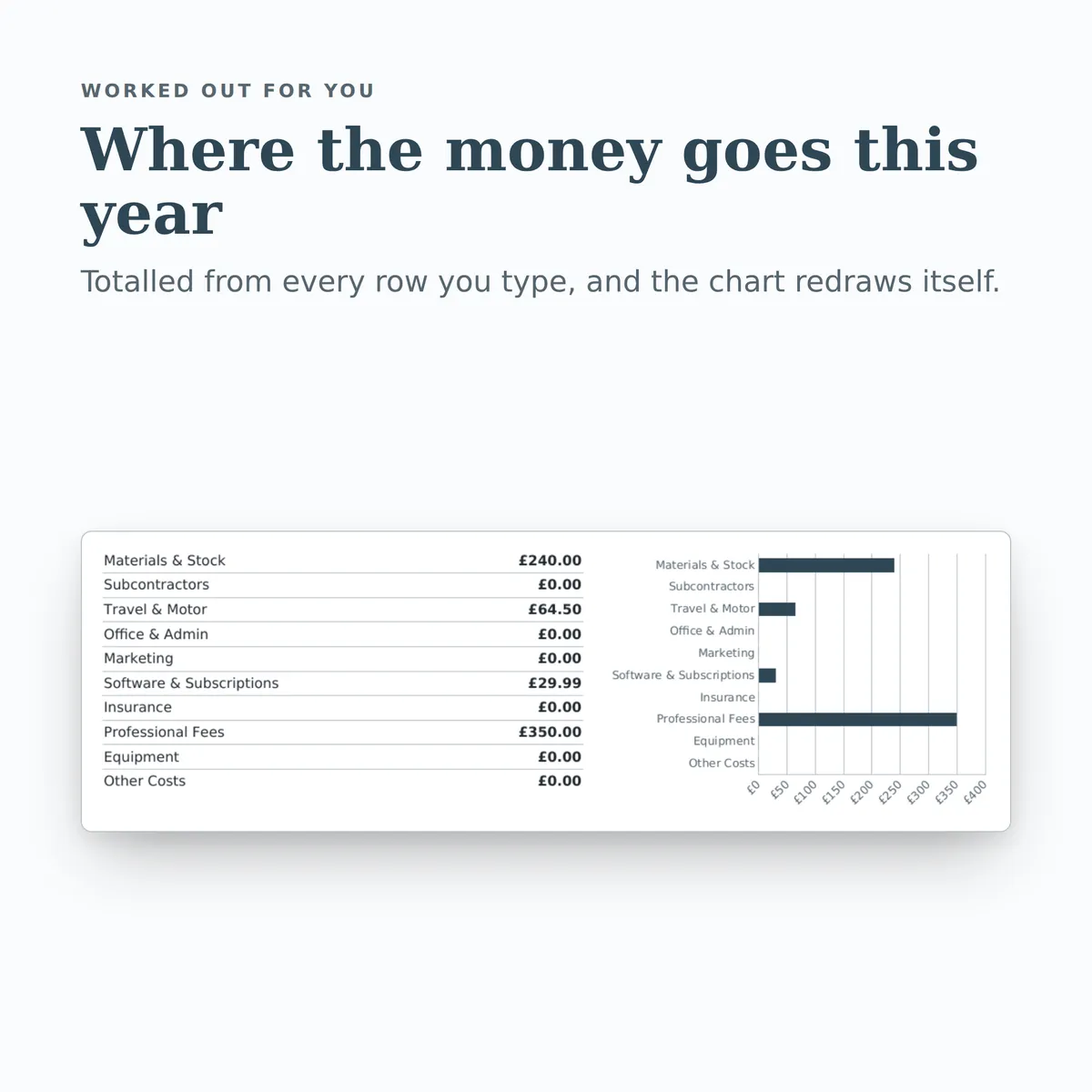
- The chart, Where the money goes this year, redraws with it.
Everything inside, before you pay
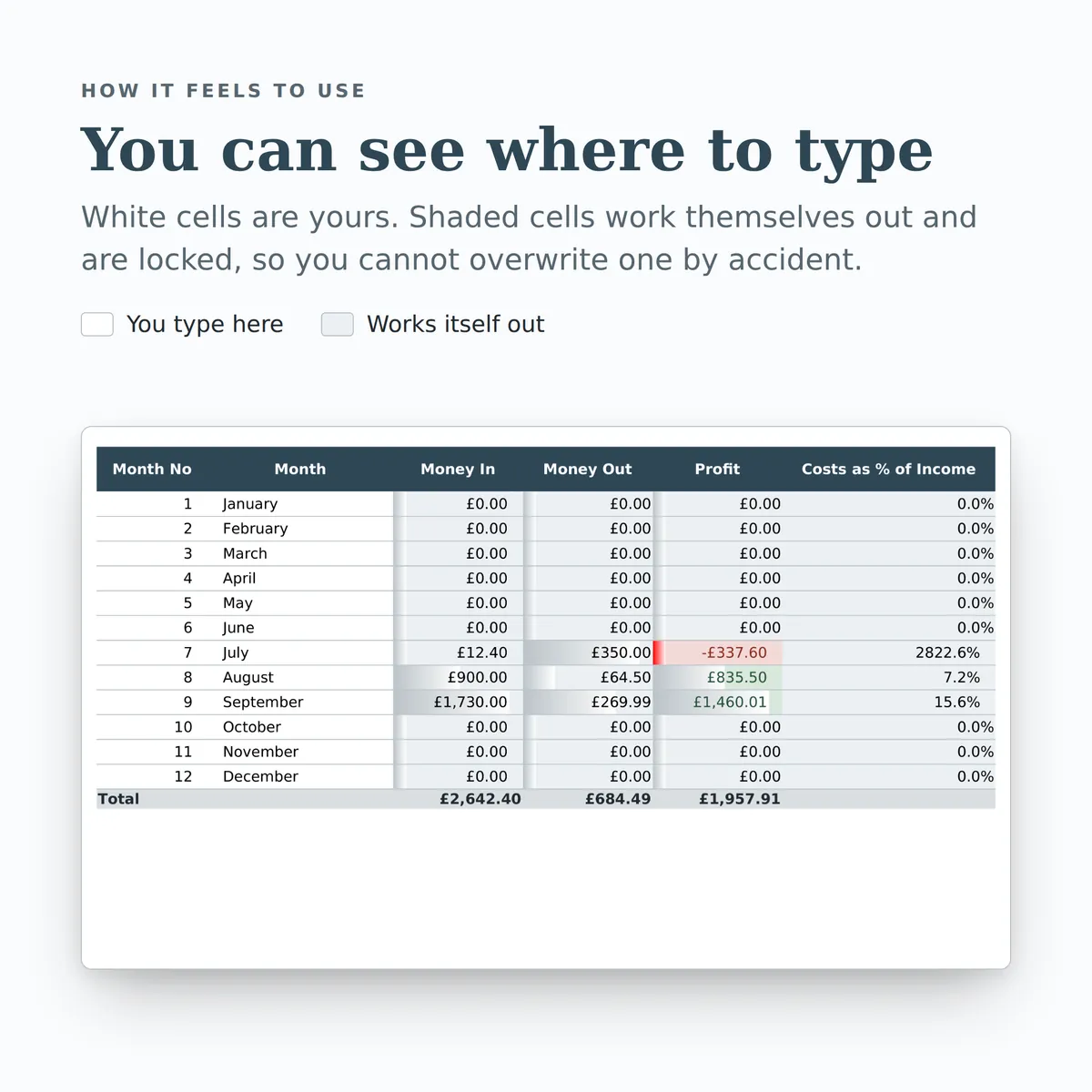
This is the whole design: every tab, every column and how each calculated one is worked out. White cells are yours to fill in; the shaded ones work themselves out and are locked so a formula cannot be overwritten by accident. There is room for 1,242 rows. Open any tab to see its columns.
Money In
9 columns
| Column | What goes in it | Worked out as |
|---|---|---|
| Date Received | Type a date. | |
| Invoice / Ref | Type any text. | |
| Customer | Type any text. | |
| Category | Pick one: Sales: Services, Sales: Goods, Other Income, Bank Interest or Grants & Refunds. | |
| Amount In | Type an amount in £. | |
| Paid By | Pick one: Bank Transfer, Card, Cash, Direct Debit, PayPal or Other. | |
| Notes | Type any text. | |
| Month No | Filled in automatically. The Monthly Summary tab uses this.Fills itself in. | Worked out from this row's Date Received. The formulaIF(ISBLANK([date]), "", MONTH([date])) |
| Year | Filled in automatically from the date.Fills itself in. | Worked out from this row's Date Received. The formulaIF(ISBLANK([date]), "", YEAR([date])) |
Money Out
9 columns
| Column | What goes in it | Worked out as |
|---|---|---|
| Date Paid | Type a date. | |
| Supplier | Type any text. | |
| Category | Pick one: Materials & Stock, Subcontractors, Travel & Motor, Office & Admin, Marketing, Software & Subscriptions, Insurance, Professional Fees, Equipment or Other Costs. | |
| Amount Out | Type an amount in £. | |
| Paid By | Pick one: Bank Transfer, Card, Cash, Direct Debit, PayPal or Other. | |
| Receipt Kept | Tick once the receipt or invoice is filed.Tick it when it applies. | |
| Notes | Type any text. | |
| Month No | Filled in automatically. The Monthly Summary tab uses this.Fills itself in. | Worked out from this row's Date Paid. The formulaIF(ISBLANK([date]), "", MONTH([date])) |
| Year | Filled in automatically from the date.Fills itself in. | Worked out from this row's Date Paid. The formulaIF(ISBLANK([date]), "", YEAR([date])) |
Monthly Summary
6 columns
| Column | What goes in it | Worked out as |
|---|---|---|
| Month No | Type a number. | |
| Month | Type any text. | |
| Money In | Fills itself in. | Worked out from this row's Month No, using Amount In, Month No and Year on Money In. The formulaIF(ISBLANK([month_no]), "", SUMIFS([Money In!amount], [Money In!month_no], [month_no], [Money In!year], YEAR(TODAY()))) |
| Money Out | Fills itself in. | Worked out from this row's Month No, using Amount Out, Month No and Year on Money Out. The formulaIF(ISBLANK([month_no]), "", SUMIFS([Money Out!amount], [Money Out!month_no], [month_no], [Money Out!year], YEAR(TODAY()))) |
| Profit | Fills itself in. | Worked out from this row's Month No, using Amount In, Month No and Year on Money In and Amount Out, Month No and Year on Money Out. The formulaIF(ISBLANK([month_no]), "", SUMIFS([Money In!amount], [Money In!month_no], [month_no], [Money In!year], YEAR(TODAY())) - SUMIFS([Money Out!amount], [Money Out!month_no], [month_no], [Money Out!year], YEAR(TODAY()))) |
| Costs as % of Income | Shows 0% in a month with no income recorded.Fills itself in. | Worked out from this row's Month No, using Amount Out, Month No and Year on Money Out and Amount In, Month No and Year on Money In. The formulaIF(ISBLANK([month_no]), "", IFERROR(SUMIFS([Money Out!amount], [Money Out!month_no], [month_no], [Money Out!year], YEAR(TODAY())) / SUMIFS([Money In!amount], [Money In!month_no], [month_no], [Money In!year], YEAR(TODAY())), 0)) |
Category Totals
5 columns
| Column | What goes in it | Worked out as |
|---|---|---|
| Category | Pick one: Sales: Services, Sales: Goods, Other Income, Bank Interest, Grants & Refunds, Materials & Stock, Subcontractors, Travel & Motor, Office & Admin, Marketing, Software & Subscriptions, Insurance, Professional Fees, Equipment or Other Costs. | |
| Money In This Year | Fills itself in. | Worked out from this row's Category, using Amount In, Category and Year on Money In. The formulaIF(ISBLANK([category]), "", SUMIFS([Money In!amount], [Money In!category], [category], [Money In!year], YEAR(TODAY()))) |
| Money Out This Year | Fills itself in. | Worked out from this row's Category, using Amount Out, Category and Year on Money Out. The formulaIF(ISBLANK([category]), "", SUMIFS([Money Out!amount], [Money Out!category], [category], [Money Out!year], YEAR(TODAY()))) |
| Share of Total Costs | Fills itself in. | Worked out from this row's Category, using Amount Out, Category and Year on Money Out. The formulaIF(ISBLANK([category]), "", IFERROR(SUMIFS([Money Out!amount], [Money Out!category], [category], [Money Out!year], YEAR(TODAY())) / SUMIFS([Money Out!amount], [Money Out!year], YEAR(TODAY())), 0)) |
| Entries | Fills itself in. | Worked out from this row's Category, using Category and Year on Money In and Category and Year on Money Out. The formulaIF(ISBLANK([category]), "", COUNTIFS([Money In!category], [category], [Money In!year], YEAR(TODAY())) + COUNTIFS([Money Out!category], [category], [Money Out!year], YEAR(TODAY()))) |
Year Summary
14 figures
| Figure | Worked out as |
|---|---|
| Total money in this year | Worked out from Amount In and Year on Money In. The formulaSUMIFS([Money In!amount], [Money In!year], YEAR(TODAY())) |
| Total money out this year | Worked out from Amount Out and Year on Money Out. The formulaSUMIFS([Money Out!amount], [Money Out!year], YEAR(TODAY())) |
| Profit so far this year | Money in less money out, for the current calendar year. Worked out from Amount In and Year on Money In and Amount Out and Year on Money Out. The formulaSUMIFS([Money In!amount], [Money In!year], YEAR(TODAY())) - SUMIFS([Money Out!amount], [Money Out!year], YEAR(TODAY())) |
| Money in this month | Worked out from Amount In, Month No and Year on Money In. The formulaSUMIFS([Money In!amount], [Money In!month_no], MONTH(TODAY()), [Money In!year], YEAR(TODAY())) |
| Money out this month | Worked out from Amount Out, Month No and Year on Money Out. The formulaSUMIFS([Money Out!amount], [Money Out!month_no], MONTH(TODAY()), [Money Out!year], YEAR(TODAY())) |
| Profit this month | Worked out from Amount In, Month No and Year on Money In and Amount Out, Month No and Year on Money Out. The formulaSUMIFS([Money In!amount], [Money In!month_no], MONTH(TODAY()), [Money In!year], YEAR(TODAY())) - SUMIFS([Money Out!amount], [Money Out!month_no], MONTH(TODAY()), [Money Out!year], YEAR(TODAY())) |
| Average profit per month so far | Worked out from Amount In and Year on Money In and Amount Out and Year on Money Out. The formulaIFERROR((SUMIFS([Money In!amount], [Money In!year], YEAR(TODAY())) - SUMIFS([Money Out!amount], [Money Out!year], YEAR(TODAY()))) / MONTH(TODAY()), 0) |
| Costs as a share of income | Worked out from Amount Out and Year on Money Out and Amount In and Year on Money In. The formulaIFERROR(SUMIFS([Money Out!amount], [Money Out!year], YEAR(TODAY())) / SUMIFS([Money In!amount], [Money In!year], YEAR(TODAY())), 0) |
| Biggest cost category | Worked out from Category and Money Out This Year on Category Totals. The formulaIFERROR(INDEX([Category Totals!category], MATCH(MAX([Category Totals!money_out]), [Category Totals!money_out], 0)), "") |
| Spend in that category | The largest Money Out This Year on Category Totals. The formulaIFERROR(MAX([Category Totals!money_out]), 0) |
| Suggested tax set-aside (20% of profit) | A rough cushion only. Your actual tax and National Insurance will differ. Worked out from Amount In and Year on Money In and Amount Out and Year on Money Out. The formulaROUND(MAX(SUMIFS([Money In!amount], [Money In!year], YEAR(TODAY())) - SUMIFS([Money Out!amount], [Money Out!year], YEAR(TODAY())), 0) * 0.2, 2) |
| Payments in recorded this year | Worked out from Year on Money In. The formulaCOUNTIFS([Money In!year], YEAR(TODAY())) |
| Payments out recorded this year | Worked out from Year on Money Out. The formulaCOUNTIFS([Money Out!year], YEAR(TODAY())) |
| Costs still missing a receipt | Tick the Receipt Kept box on the Money Out tab once each one is filed. Worked out from Amount Out and Receipt Kept on Money Out. The formulaCOUNTIFS([Money Out!amount], ">0", [Money Out!receipt_held], FALSE) |
More in Business
-
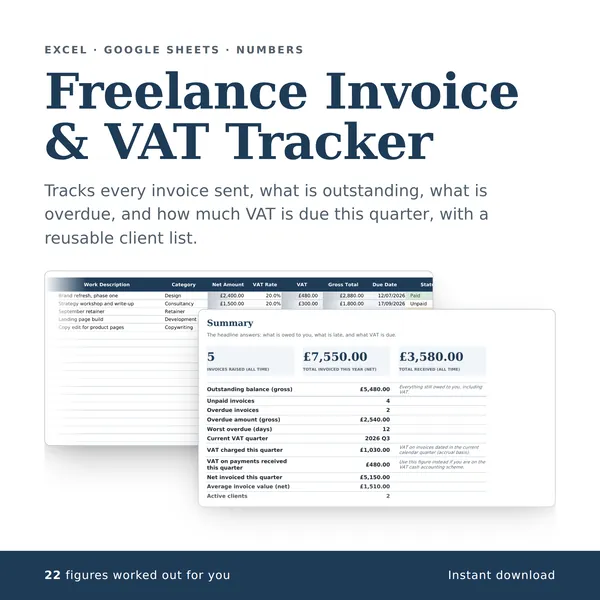
Freelance Invoice & VAT Tracker
Tracks every invoice sent, what is outstanding, what is overdue, and how much VAT is due this quarter, with a reusable client list.
22 figures work themselves out£4.99
-
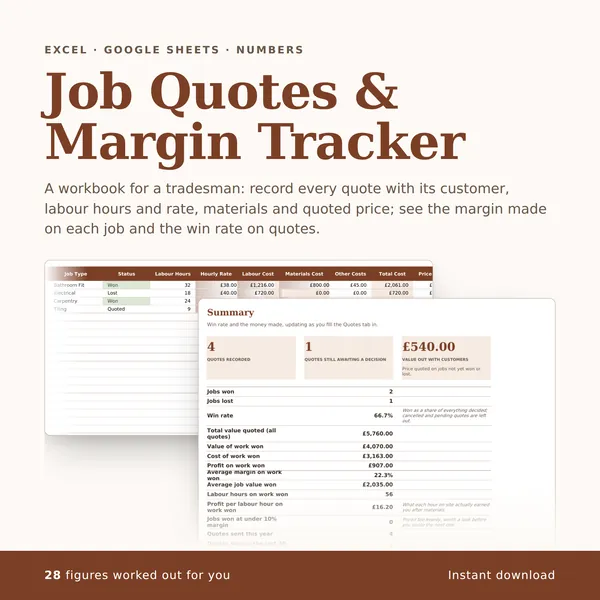
Job Quotes & Margin Tracker
A workbook for a tradesman: record every quote with its customer, labour hours and rate, materials and quoted price; see the margin made on each job and the win rate on quotes.
28 figures work themselves out£4.99
-
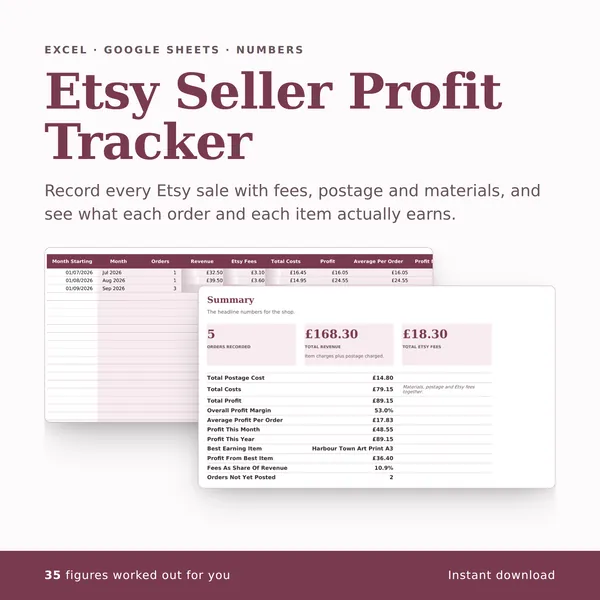
Etsy Seller Profit Tracker
Record every Etsy sale with fees, postage and materials, and see what each order and each item actually earns.
35 figures work themselves out£4.99
-
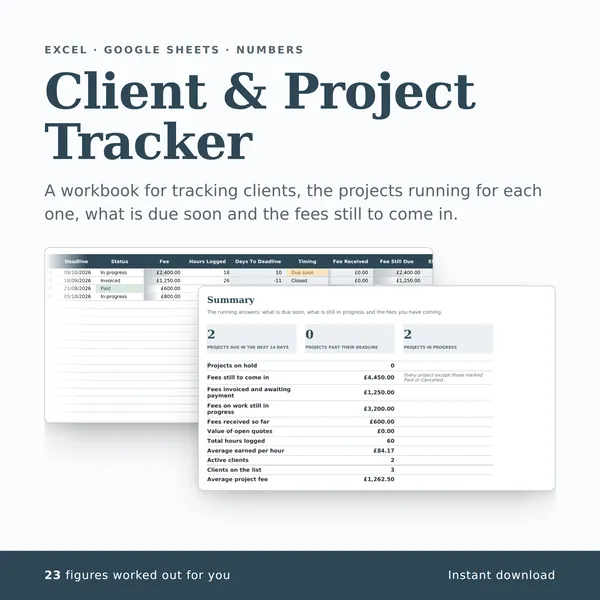
Client & Project Tracker
A workbook for tracking clients, the projects running for each one, what is due soon and the fees still to come in.
23 figures work themselves out£4.99