
Mileage & Expenses Log
Made for anyone claiming mileage and expenses back.
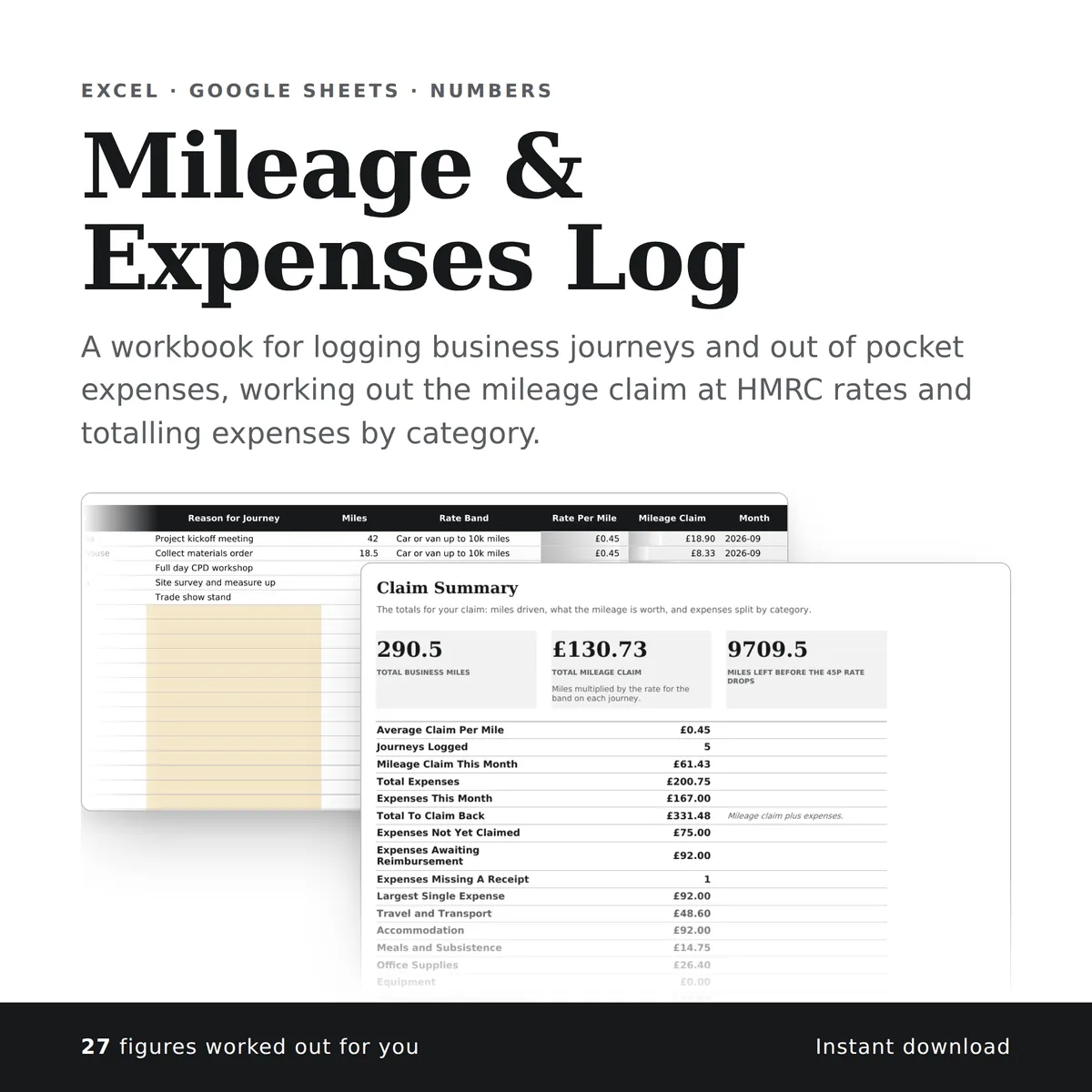
A workbook for logging business journeys and out of pocket expenses, working out the mileage claim at HMRC rates and totalling expenses by category. The summary carries a chart that redraws itself as you type.
Of the 17 columns, you fill in 13 and the other 4 work themselves out, and all 23 figures on the summary do too. There is room for 1,100 rows of your own.
£4.99one payment, yours to keep
- Opens in Excel, Google Sheets and Numbers
- Delivered straight away
- No macros, nothing to install
- Change it free before you buy
Payment is handled by Stripe. Your card details go to them and never to us. Sales are final, which is why every tab, column and calculation is shown on this page first.
Already have a spreadsheet of your own? Check it for mistakes, free.
- A new row is typed into the Expenses tab, one cell at a time, in the white cells a person fills in.
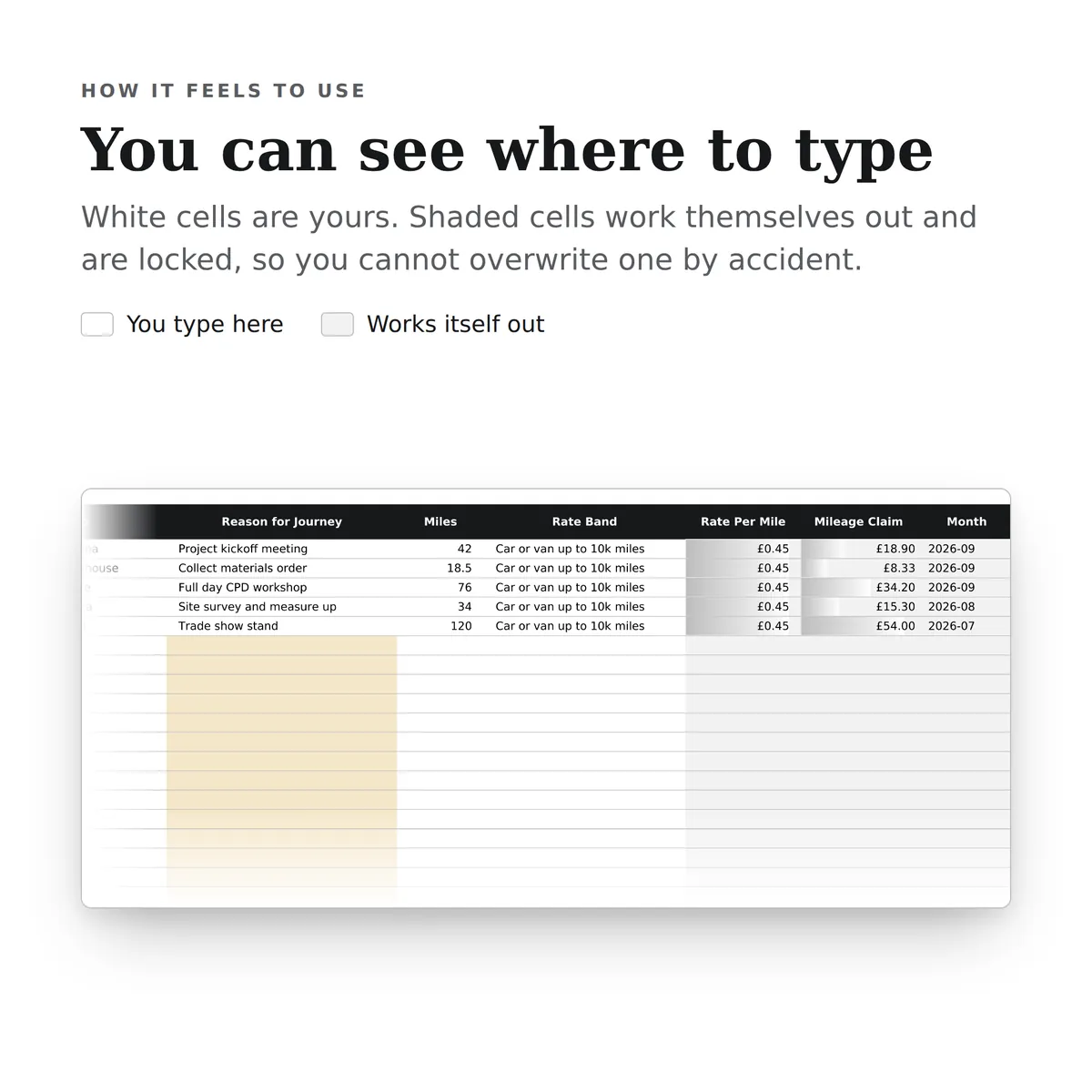
- The shaded cells in that row fill themselves in.
- The figures on the Claim Summary tab change to include the new row.
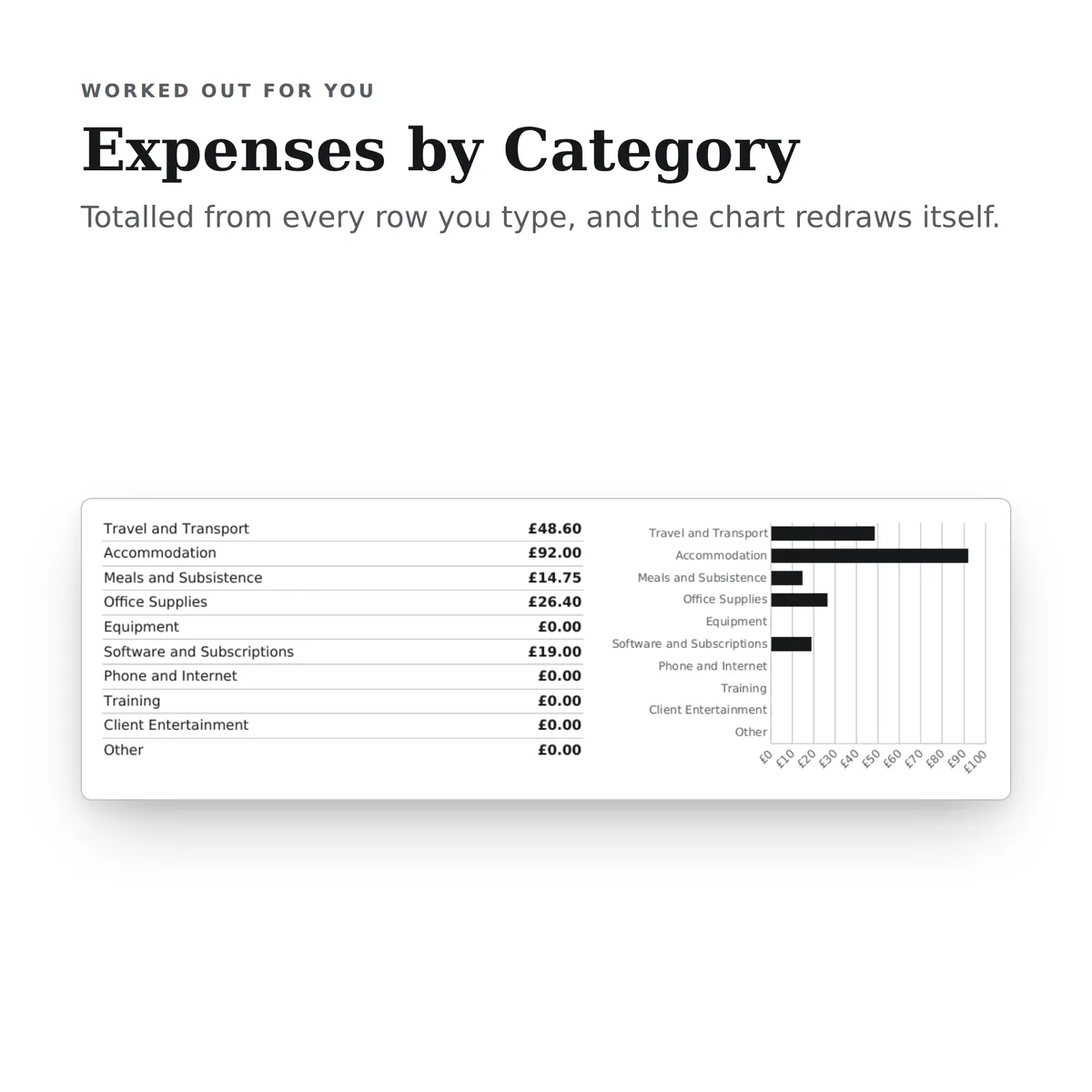
- The chart, Expenses by Category, redraws with it.
Everything inside, before you pay
This is the whole design: every tab, every column and how each calculated one is worked out. White cells are yours to fill in; the shaded ones work themselves out and are locked so a formula cannot be overwritten by accident. There is room for 1,100 rows. Open any tab to see its columns.
Mileage Log
9 columns
| Column | What goes in it | Worked out as |
|---|---|---|
| Date | Type a date. | |
| From | Type any text. | |
| To | Type any text. | |
| Reason for Journey | Type any text. | |
| Miles | Type a number. | |
| Rate Band | Car or van drops from 45p to 25p once you pass ten thousand business miles in the tax year.Pick one: Car or van up to 10k miles, Car or van over 10k miles, Motorcycle or Bicycle. | |
| Rate Per Mile | Fills itself in. | Worked out from this row's Rate Band. The formulaIF(ISBLANK([rate_band]), "", IF([rate_band]="Car or van up to 10k miles", 0.45, IF([rate_band]="Car or van over 10k miles", 0.25, IF([rate_band]="Motorcycle", 0.24, 0.2)))) |
| Mileage Claim | Fills itself in. | Worked out from this row's Miles and Rate Band. The formulaIF(OR(ISBLANK([miles]), ISBLANK([rate_band])), "", ROUND([miles] * IF([rate_band]="Car or van up to 10k miles", 0.45, IF([rate_band]="Car or van over 10k miles", 0.25, IF([rate_band]="Motorcycle", 0.24, 0.2))), 2)) |
| Month | Used by the summary to pick out this month's journeys.Fills itself in. | Worked out from this row's Date. The formulaIF(ISBLANK([trip_date]), "", TEXT([trip_date], "YYYY-MM")) |
Expenses
8 columns
| Column | What goes in it | Worked out as |
|---|---|---|
| Date | Type a date. | |
| What It Was | Type any text. | |
| Category | Pick one: Travel and Transport, Accommodation, Meals and Subsistence, Office Supplies, Equipment, Software and Subscriptions, Phone and Internet, Training, Client Entertainment or Other. | |
| Amount | Type an amount in £. | |
| Paid With | Pick one: Personal Card, Personal Cash, Business Card or Bank Transfer. | |
| Receipt Held | Anything marked No is worth chasing before you submit the claim.Pick one: Yes or No. | |
| Claim Status | Pick one: Not Claimed, Submitted or Reimbursed. | |
| Month | Used by the summary to pick out this month's spending.Fills itself in. | Worked out from this row's Date. The formulaIF(ISBLANK([expense_date]), "", TEXT([expense_date], "YYYY-MM")) |
Claim Summary
23 figures
| Figure | Worked out as |
|---|---|
| Total Business Miles | The total of Miles on Mileage Log. The formulaSUM([Mileage Log!miles]) |
| Total Mileage Claim | Miles multiplied by the rate for the band on each journey. The total of Mileage Claim on Mileage Log. The formulaSUM([Mileage Log!claim_amount]) |
| Miles Left Before The 45p Rate Drops | Worked out from Miles on Mileage Log. The formulaMAX(0, 10000 - SUM([Mileage Log!miles])) |
| Average Claim Per Mile | Worked out from Mileage Claim and Miles on Mileage Log. The formulaIFERROR(SUM([Mileage Log!claim_amount]) / SUM([Mileage Log!miles]), 0) |
| Journeys Logged | The number of rows on Mileage Log with Miles filled in. The formulaCOUNT([Mileage Log!miles]) |
| Mileage Claim This Month | Worked out from Month and Mileage Claim on Mileage Log. The formulaSUMIF([Mileage Log!month_key], TEXT(TODAY(), "YYYY-MM"), [Mileage Log!claim_amount]) |
| Total Expenses | The total of Amount on Expenses. The formulaSUM([Expenses!amount]) |
| Expenses This Month | Worked out from Month and Amount on Expenses. The formulaSUMIF([Expenses!month_key], TEXT(TODAY(), "YYYY-MM"), [Expenses!amount]) |
| Total To Claim Back | Mileage claim plus expenses. Worked out from Mileage Claim on Mileage Log and Amount on Expenses. The formulaSUM([Mileage Log!claim_amount]) + SUM([Expenses!amount]) |
| Expenses Not Yet Claimed | The total of Amount on Expenses where Claim Status is “Not Claimed”. The formulaSUMIF([Expenses!claim_status], "Not Claimed", [Expenses!amount]) |
| Expenses Awaiting Reimbursement | The total of Amount on Expenses where Claim Status is “Submitted”. The formulaSUMIF([Expenses!claim_status], "Submitted", [Expenses!amount]) |
| Expenses Missing A Receipt | The number of rows on Expenses where Receipt Held is “No”. The formulaCOUNTIF([Expenses!receipt_held], "No") |
| Largest Single Expense | The largest Amount on Expenses. The formulaIFERROR(MAX([Expenses!amount]), 0) |
| Travel and Transport | The total of Amount on Expenses where Category is “Travel and Transport”. The formulaSUMIF([Expenses!category], "Travel and Transport", [Expenses!amount]) |
| Accommodation | The total of Amount on Expenses where Category is “Accommodation”. The formulaSUMIF([Expenses!category], "Accommodation", [Expenses!amount]) |
| Meals and Subsistence | The total of Amount on Expenses where Category is “Meals and Subsistence”. The formulaSUMIF([Expenses!category], "Meals and Subsistence", [Expenses!amount]) |
| Office Supplies | The total of Amount on Expenses where Category is “Office Supplies”. The formulaSUMIF([Expenses!category], "Office Supplies", [Expenses!amount]) |
| Equipment | The total of Amount on Expenses where Category is “Equipment”. The formulaSUMIF([Expenses!category], "Equipment", [Expenses!amount]) |
| Software and Subscriptions | The total of Amount on Expenses where Category is “Software and Subscriptions”. The formulaSUMIF([Expenses!category], "Software and Subscriptions", [Expenses!amount]) |
| Phone and Internet | The total of Amount on Expenses where Category is “Phone and Internet”. The formulaSUMIF([Expenses!category], "Phone and Internet", [Expenses!amount]) |
| Training | The total of Amount on Expenses where Category is “Training”. The formulaSUMIF([Expenses!category], "Training", [Expenses!amount]) |
| Client Entertainment | Usually not allowable against tax, so keep it separate when you file. The total of Amount on Expenses where Category is “Client Entertainment”. The formulaSUMIF([Expenses!category], "Client Entertainment", [Expenses!amount]) |
| Other | The total of Amount on Expenses where Category is “Other”. The formulaSUMIF([Expenses!category], "Other", [Expenses!amount]) |
More in Business
-
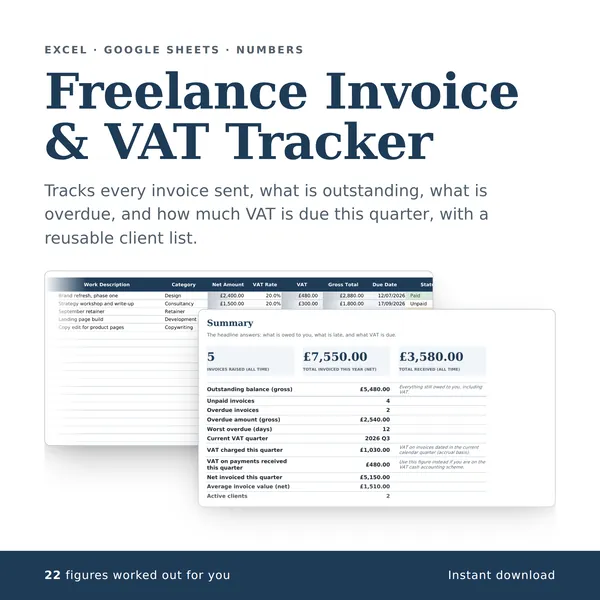
Freelance Invoice & VAT Tracker
Tracks every invoice sent, what is outstanding, what is overdue, and how much VAT is due this quarter, with a reusable client list.
22 figures work themselves out£4.99
-

Small Business Bookkeeping
A simple set of books for a one-person business: record every payment received and every business cost, tag each one with a category, and see totals by category, totals by month and profit so far this year ready for the tax return.
26 figures work themselves out£4.99
-
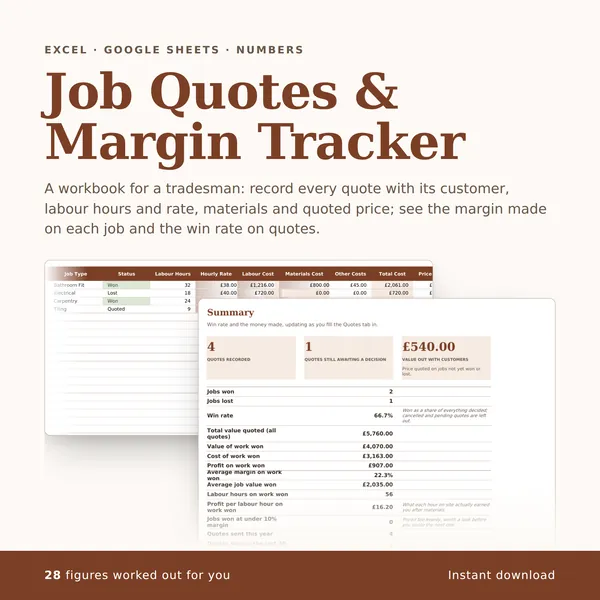
Job Quotes & Margin Tracker
A workbook for a tradesman: record every quote with its customer, labour hours and rate, materials and quoted price; see the margin made on each job and the win rate on quotes.
28 figures work themselves out£4.99
-
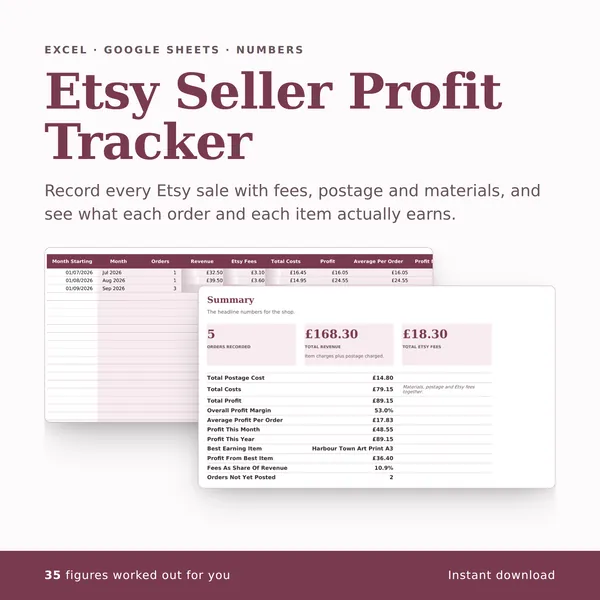
Etsy Seller Profit Tracker
Record every Etsy sale with fees, postage and materials, and see what each order and each item actually earns.
35 figures work themselves out£4.99