
Home Renovation Budget
Made for anyone doing up a house.
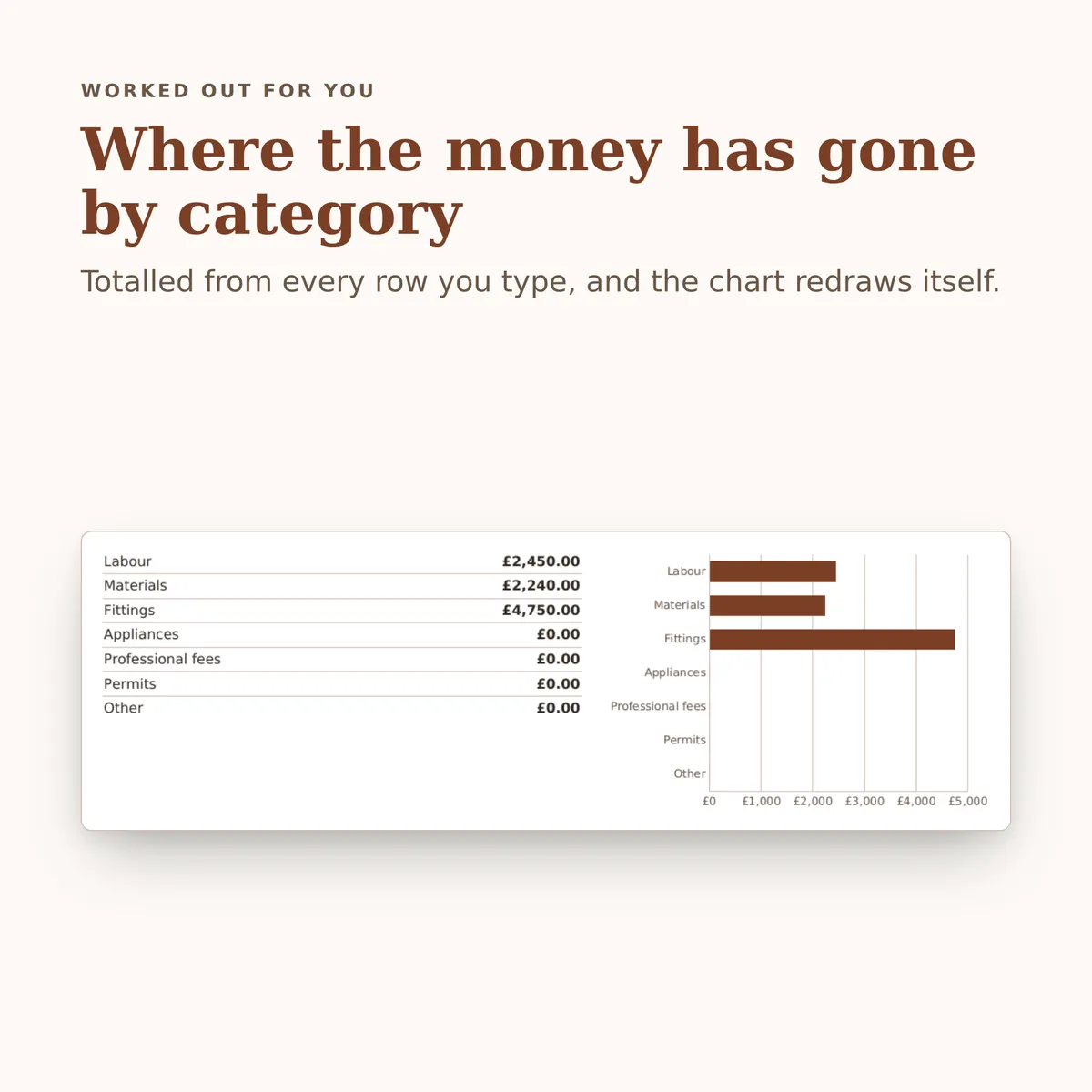
Plan a budget for every job room by room, record what you actually pay and to whom, and see at a glance what is left and which rooms have run over. The summary carries a chart that redraws itself as you type.
Of the 31 columns, you fill in 21 and the other 10 work themselves out, and all 13 figures on the summary do too. There is room for 940 rows of your own.
£4.99one payment, yours to keep
- Opens in Excel, Google Sheets and Numbers
- Delivered straight away
- No macros, nothing to install
- Change it free before you buy
Payment is handled by Stripe. Your card details go to them and never to us. Sales are final, which is why every tab, column and calculation is shown on this page first.
Already have a spreadsheet of your own? Check it for mistakes, free.

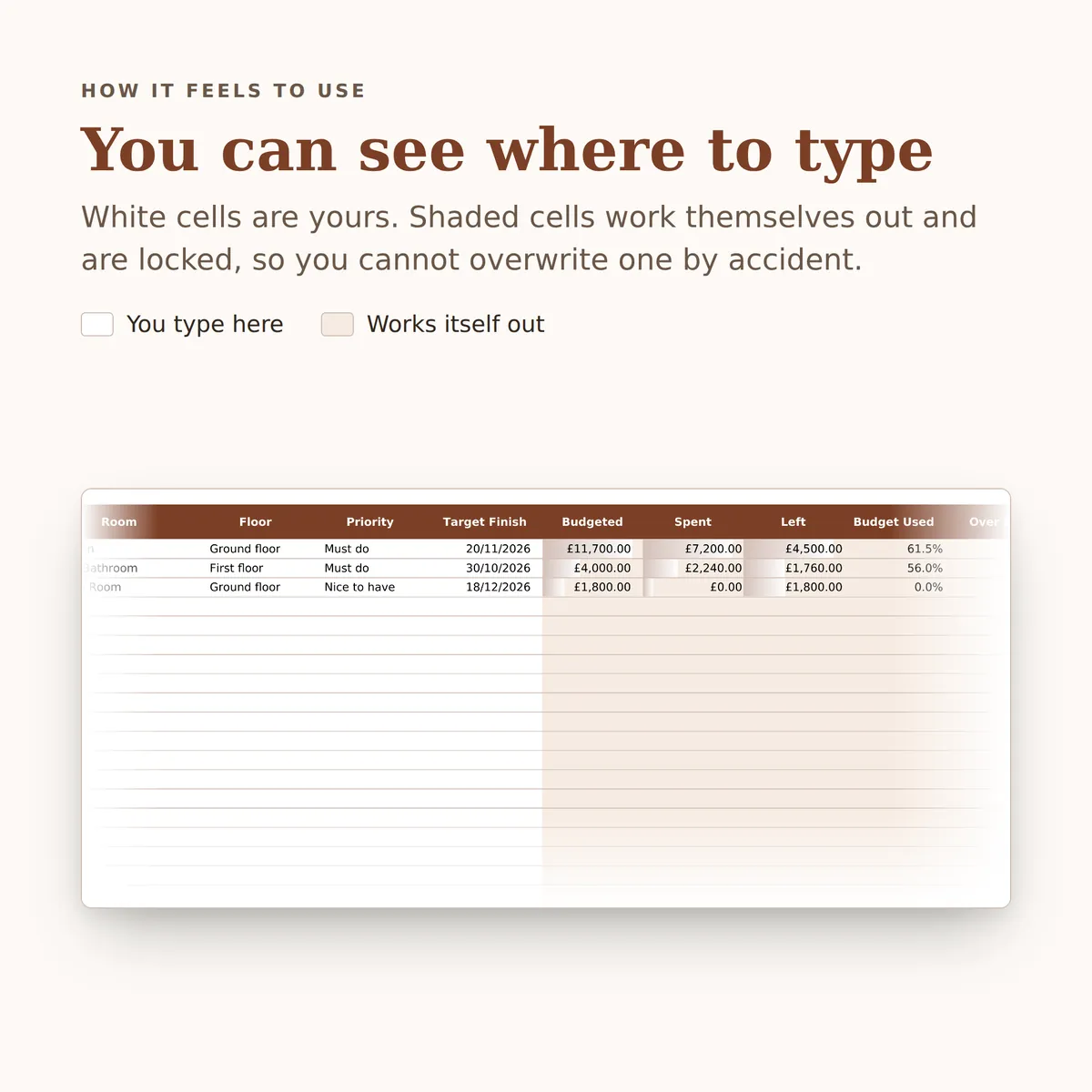
- A new row is typed into the Payments tab, one cell at a time, in the white cells a person fills in.
- The figures on the Budget Summary tab change to include the new row.
- The chart, Where the money has gone by category, redraws with it.
Everything inside, before you pay
This is the whole design: every tab, every column and how each calculated one is worked out. White cells are yours to fill in; the shaded ones work themselves out and are locked so a formula cannot be overwritten by accident. There is room for 940 rows. Open any tab to see its columns.
Rooms
10 columns
| Column | What goes in it | Worked out as |
|---|---|---|
| Room | Use the same name here every time so the dropdowns on the other tabs stay tidy.Type any text. | |
| Floor | Pick one: Ground floor, First floor, Second floor, Loft, Basement or Outside. | |
| Priority | Pick one: Must do, Nice to have or Later phase. | |
| Target Finish | Type a date. | |
| Budgeted | Fills itself in. | The total of Budgeted on Jobs where Room matches this row's Room. The formulaIF(ISBLANK([room_name]), "", SUMIF([Jobs!room], [room_name], [Jobs!budget])) |
| Spent | Fills itself in. | The total of Amount on Payments where Room matches this row's Room. The formulaIF(ISBLANK([room_name]), "", SUMIF([Payments!room], [room_name], [Payments!amount])) |
| Left | Fills itself in. | Worked out from this row's Room, using Room and Budgeted on Jobs and Room and Amount on Payments. The formulaIF(ISBLANK([room_name]), "", SUMIF([Jobs!room], [room_name], [Jobs!budget]) - SUMIF([Payments!room], [room_name], [Payments!amount])) |
| Budget Used | Fills itself in. | Worked out from this row's Room, using Room and Amount on Payments and Room and Budgeted on Jobs. The formulaIF(ISBLANK([room_name]), "", IFERROR(SUMIF([Payments!room], [room_name], [Payments!amount]) / SUMIF([Jobs!room], [room_name], [Jobs!budget]), 0)) |
| Over By | Fills itself in. | Worked out from this row's Room, using Room and Amount on Payments and Room and Budgeted on Jobs. The formulaIF(ISBLANK([room_name]), "", MAX(0, SUMIF([Payments!room], [room_name], [Payments!amount]) - SUMIF([Jobs!room], [room_name], [Jobs!budget]))) |
| Status | Fills itself in. | Worked out from this row's Room, using Room and Amount on Payments and Room and Budgeted on Jobs. The formulaIF(ISBLANK([room_name]), "", IF(SUMIF([Payments!room], [room_name], [Payments!amount]) > SUMIF([Jobs!room], [room_name], [Jobs!budget]), "Over budget", "Within budget")) |
Jobs
11 columns
| Column | What goes in it | Worked out as |
|---|---|---|
| Job | Give each job a name you will recognise on the Payments tab, for example Kitchen units fitted.Type any text. | |
| Room | Pick one of the Room entries on Rooms. | |
| Category | Pick one: Labour, Materials, Fittings, Appliances, Professional fees, Permits or Other. | |
| Contractor | Who you expect to do the work. The actual payee is recorded on each payment.Type any text. | |
| Budgeted | Type an amount in £. | |
| Stage | Pick one: Not started, Booked, In progress, Complete or Cancelled. | |
| Due | Type a date. | |
| Spent | Fills itself in. | The total of Amount on Payments where Job matches this row's Job. The formulaIF(ISBLANK([job_name]), "", SUMIF([Payments!job], [job_name], [Payments!amount])) |
| Left | Fills itself in. | Worked out from this row's Job and Budgeted, using Job and Amount on Payments. The formulaIF(OR(ISBLANK([job_name]), ISBLANK([budget])), "", [budget] - SUMIF([Payments!job], [job_name], [Payments!amount])) |
| Budget Used | Fills itself in. | Worked out from this row's Job and Budgeted, using Job and Amount on Payments. The formulaIF(OR(ISBLANK([job_name]), ISBLANK([budget])), "", IFERROR(SUMIF([Payments!job], [job_name], [Payments!amount]) / [budget], 0)) |
| Budget Status | Fills itself in. | Worked out from this row's Job and Budgeted, using Job and Amount on Payments. The formulaIF(OR(ISBLANK([job_name]), ISBLANK([budget])), "", IF(SUMIF([Payments!job], [job_name], [Payments!amount]) > [budget], "Over", IF(SUMIF([Payments!job], [job_name], [Payments!amount]) = [budget], "On budget", "Within"))) |
Payments
10 columns
| Column | What goes in it |
|---|---|
| Date Paid | Type a date. |
| Paid To | Type any text. |
| Room | Pick one of the Room entries on Rooms. |
| Job | Match this to a job so the budget comparison works. Leave it blank only for spending you never budgeted for.Pick one of the Job entries on Jobs. |
| Category | Pick one: Labour, Materials, Fittings, Appliances, Professional fees, Permits or Other. |
| Amount | Type an amount in £. |
| Method | Pick one: Bank transfer, Card, Cash, Direct debit or Cheque. |
| Invoice Ref | Type any text. |
| Deposit | Tick if this was an up front payment rather than a final bill.Tick it when it applies. |
| Notes | Type any text. |
Budget Summary
13 figures
| Figure | Worked out as |
|---|---|
| Total budget | The total of Budgeted on Jobs. The formulaSUM([Jobs!budget]) |
| Total spent so far | The total of Amount on Payments. The formulaSUM([Payments!amount]) |
| Budget left | A negative figure means the project as a whole has gone over. Worked out from Budgeted on Jobs and Amount on Payments. The formulaSUM([Jobs!budget]) - SUM([Payments!amount]) |
| Share of budget spent | Worked out from Amount on Payments and Budgeted on Jobs. The formulaIFERROR(SUM([Payments!amount]) / SUM([Jobs!budget]), 0) |
| Rooms over budget | The number of rows on Rooms where Status is “Over budget”. The formulaCOUNTIF([Rooms!status], "Over budget") |
| Jobs over budget | The number of rows on Jobs where Budget Status is “Over”. The formulaCOUNTIF([Jobs!budget_status], "Over") |
| Total overspend across rooms | The total of Over By on Rooms. The formulaSUM([Rooms!over_by]) |
| Worst room for overspend | Worked out from Over By and Room on Rooms. The formulaIF(MAX([Rooms!over_by]) = 0, "None yet", IFERROR(INDEX([Rooms!room_name], MATCH(MAX([Rooms!over_by]), [Rooms!over_by], 0)), "None yet")) |
| Spent in the last 30 days | Worked out from Amount and Date Paid on Payments. The formulaSUMIFS([Payments!amount], [Payments!paid_on], ">=" & (TODAY() - 30)) |
| Payments recorded | The number of rows on Payments with Amount filled in. The formulaCOUNT([Payments!amount]) |
| Largest single payment | The largest Amount on Payments. The formulaIFERROR(MAX([Payments!amount]), 0) |
| Spending not matched to a job | Payments with the Job column left empty, so they sit outside every budget line. Worked out from Amount and Job on Payments. The formulaSUM([Payments!amount]) - SUMIF([Payments!job], "<>", [Payments!amount]) |
| Jobs still to start | The number of rows on Jobs where Stage is “Not started”. The formulaCOUNTIF([Jobs!stage], "Not started") |
More in Property
-

Rental Property Income & Costs
A workbook for a small portfolio: one row per property with its rent and mortgage, one row per payment in or out against a property, and a summary showing income, costs and the position for each property and overall.
27 figures work themselves out£4.99
-
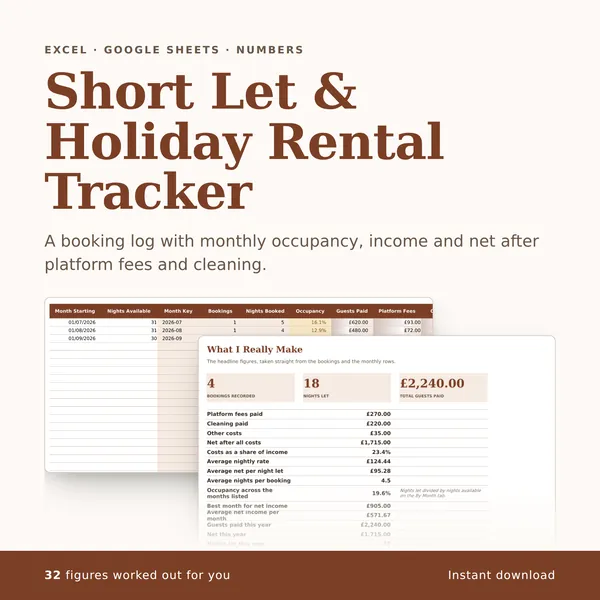
Short Let & Holiday Rental Tracker
A booking log with monthly occupancy, income and net after platform fees and cleaning.
32 figures work themselves out£4.99
-
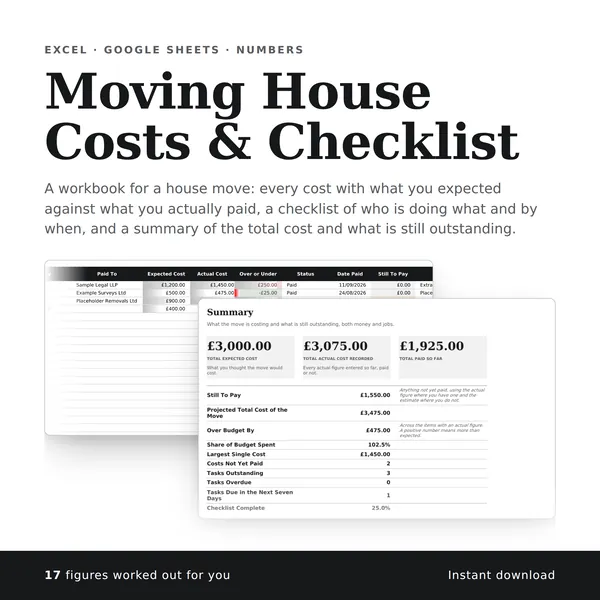
Moving House Costs & Checklist
A workbook for a house move: every cost with what you expected against what you actually paid, a checklist of who is doing what and by when, and a summary of the total cost and what is still outstanding.
17 figures work themselves out£4.99